QR code menu generator
Paste the address of your menu, a web page or a PDF online, and create the code with a free account. When the menu changes, change the destination and the printed codes follow.
What a QR code menu is
A QR code menu is a code on the table that opens your menu on the guest's phone. Guests scan it with the camera, read the menu in their browser and order as usual. You keep the menu online, so you can change it without reprinting anything.
How to make a QR code menu
- Put your menu online. Use a page on your website, or upload a PDF anywhere that gives you a public link.
- Open the link on your phone. Check that the text is readable without zooming.
- Paste the address in the field above and create the code.
- Keep what you get. Sign up free, and you receive a short link and the QR code in SVG, PNG and EPS, kept in My codes.
- Scan the code with your phone before you print it.
A web page or a PDF
- A web page reads best on a phone. The text fits the screen, loads quickly and can be translated by the guest's browser.
- A PDF is quicker if you already have a print file. Keep it small, in portrait format, with large text, so it opens fast on a weak signal.
Keep the menu quick to open
Guests often scan on mobile data, sometimes with a weak signal. A menu that takes long to open feels broken. Keep photos small, avoid a PDF of many pages, and open the menu on your own phone with WiFi switched off before you print.
Either way, put the season or the date at the top. Staff can then check at a glance that the online menu is the current one.
Change the menu, keep the code
The code is dynamic: it points at a short link, and the short link sends guests on to your menu. When prices change, the season turns or you move to a new PDF, edit the destination. Every table card and window sticker you already printed opens the new menu. You can also see how many times the code was scanned.
What guests see when they scan it
- They open the camera. The built-in camera on iPhone and Android reads the code. No app is needed.
- They tap the link. Your menu opens in their browser.
- They read and order. There is no sign-up and nothing to install.
No ad page, no expiry
Guests go straight to your menu, with no ad page or countdown in between. The code keeps working whether or not you ever pay for anything, so a menu printed today still opens in five years.
Menus in more than one language
If you serve tourists, put each language on its own page, or use one page with a language switch at the top. A single code can then open the page with the switch. If you print separate cards per language, make one code for each page.
See which places get scanned
Each code shows a total count of scans. Make one code for the tables and another for the window, and you can see how many people read the menu before they come in. Use the counts to decide where the next card goes.
Where to put it
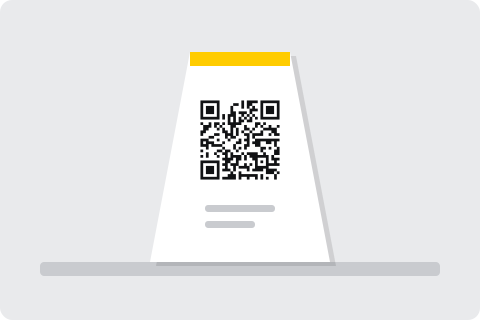
- Table cards and tents. One per table, facing the seats.
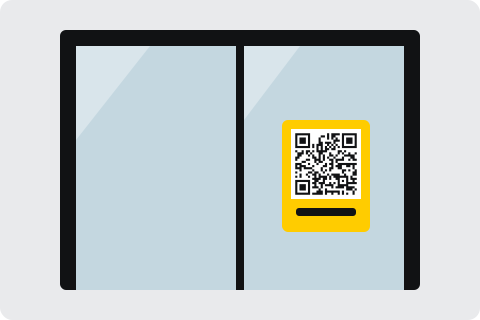
- The window or door. Passers-by can read the menu before they come in.
- The bar counter. For guests who order standing up.
- Takeaway leaflets. Customers find the current menu at home.
- Hotel rooms. A card for the room service menu.
Make it easy for every guest
- Keep paper menus. Some guests have no phone, a flat battery or prefer paper.
- Say what the code does. A short line such as "Scan for the menu" next to the code.
- Use large text. Older guests, and anyone in dim light, read a menu with large text more easily.
- Keep allergens easy to find. Put allergen information on the menu page itself, not in a separate file.
Our guide on QR codes for older customers has more ways to keep a menu easy for everyone.
Printing tips for restaurant tables
- Size. Print the code at least 3 cm wide, dark on a light background.
- Placement. Keep it away from folds and glossy glare.
- Durability. Laminated cards survive spills and cleaning.
- Proof. Scan a printed proof with two phones before you order a full run.
Examples
Questions
Can I change the menu without reprinting?
Yes, with a free account. The code points at a short link. Edit the destination, and every table card already printed opens the new menu.
Can I use a PDF menu?
Yes. Upload the PDF anywhere that gives you a public link and paste that link. A page on your website is easier to read on a phone.
Do guests need an app?
No. The built-in camera on iPhone and Android reads the code and opens the menu.
How big should the code be on a table?
At least 3 cm wide, dark on a light background, away from folds and glossy glare.
Should I still keep paper menus?
Yes. Keep a few for guests without a phone or with a flat battery.
No code made here is ever switched off for non-payment. Read the pledge.